Avalanche Card review: a Visa that spends directly from a self-custody crypto balance
The Avalanche Card is a Visa payment card, virtual and physical, designed to spend from a crypto balance held on the Avalanche network rather than from a bank account. It runs on Rain Liquidity’s infrastructure, and Avalanche itself never touches the funds: the card pulls from your own wallet, which is the central idea and the central risk at the same time. After going through the card’s terms, the app’s public pages, and several comparison sites, I came out with a measured view of where it works well and where it quietly does not. If you already hold USDC or AVAX on Avalanche and live in a supported country, this card removes several steps you would otherwise need to convert and load a card. If you want cashback, ATM access, or a card that is a true drop-in replacement for a normal bank card, it is much less convincing.

The information in this review is current as of 21 October 2026, checked against official Avalanche Card documentation and public regulatory filings.
Verdict
I would score the Avalanche Card a 6.9 out of 10. That is a fair, not generous, mark and the criterion table below shows where the points come from. The card does one thing well: it lets someone pay in shops and online from a USDC or AVAX balance without handing custody of those tokens to a card provider. It does that at a low headline cost, with no monthly fee and no card fee. What pulls the score down is the absence of stated information on limits, ATM access, dispute handling and rewards, and the fact that several third-party sources publish different fee numbers from the official one. The card is best understood as a tool for a specific kind of user, not a general-purpose replacement for a bank card.

For the breakdown of how I arrived at 6.9, here is the criterion-by-criterion view from the table on the card’s own evaluation page:
| Criterion | Mark | Reason |
|---|---|---|
| Who can get it | 7 / 10 | Many US states, Latin America and the Caribbean are eligible (expanding); 18 countries and 16 US states are excluded; one unofficial source counts 172 countries available overall. |
| Cost | 8 / 10 | Virtual and physical issuance is $0, shipping is $0, monthly fee is $0, and the official FX fee is 1%; unofficial sources list 2% under the US agreement and up to 3% internationally. |
| Top-up options | 6 / 10 | USDC, USDT, AVAX and WAVAX are accepted as collateral on the Avalanche network; Ava Labs adds sAVAX; no bank top-up or fiat on-ramp is visible. |
| Reliability and complaints | 6 / 10 | The card runs on Rain Liquidity’s rails; the issuing bank is not named on the card’s pages; no official incident has been published; the iOS app sits at 3.1 out of 5 from 22 ratings, and unofficial reports describe slow support. |
| Everyday use | 7 / 10 | A virtual and a physical Visa work with Apple Wallet and Google Pay; unofficial sources disagree on whether ATM withdrawals are part of the product at all. |
The card suits two readers well. First, residents of supported Latin American and Caribbean countries who already hold USDC on Avalanche and want a card to spend it from without going through an exchange. Second, US residents in eligible states who treat USDC on Avalanche as their working balance and want a Visa at zero cost. The card does not suit three other readers: anyone who needs ATM withdrawals and is unhappy with uncertainty, anyone in Russia, Belarus, Cuba, India, Iran, Iraq, Israel, Mainland China, Nepal, Nicaragua, Nigeria, North Korea, Sri Lanka, Syria, Turkey, Ukraine, Venezuela or Vietnam, and anyone outside one of the eligible US states (Arizona, Delaware, Georgia, Idaho, Louisiana, Maryland, Nevada, New Mexico, North Dakota, Ohio, Oregon, Rhode Island, South Dakota, Vermont, Washington or Wisconsin). If your situation is one of those three, jump straight to the alternatives section.
Will they give you the card
The card is gated by where you live and how old you are, not by your citizenship. Eligibility is residency-based: legal residence in a supported country or region, and at least 18 years old. The list of eligible places is presented as “many U.S. states, Latin America, and the Caribbean”, and the public pages describe the geography as expanding. Unofficial trackers put the number of available countries at around 172.
Twenty-eight places are explicitly excluded, and I want to list them clearly because the names matter. The excluded countries are Belarus, Cuba, India, Iran, Iraq, Israel, Mainland China, Nepal, Nicaragua, Nigeria, North Korea, Russia, Sri Lanka, Syria, Turkey, Ukraine, Venezuela and Vietnam. The excluded US states are Arizona, Delaware, Georgia, Idaho, Louisiana, Maryland, Nevada, New Mexico, North Dakota, Ohio, Oregon, Rhode Island, South Dakota, Vermont, Washington and Wisconsin. The official excluded-country list and the unofficial restricted-country list agree on Russia and Turkey, so if you are in either of those, the door is closed.
What this means for Russian speakers in different situations: a person living in Russia is excluded by the official list and there is no exception for a Russian citizen abroad if their legal residence is in Russia. A Russian citizen living in a supported country (for example in one of the eligible Latin American countries, or in an eligible US state) is treated by residency, not by passport, and would generally be eligible in the same way as anyone else living there. Russian citizens in an excluded CIS country listed above (Belarus, for instance) cannot sign up.
Proof of address is not stated. The card’s pages do not say whether a utility bill or bank statement is required as part of the application. KYC asks for legal name, email, date of birth, SSN or national ID, government-issued ID, a selfie and a valid phone number; expired IDs and P.O. boxes are not accepted, and approval usually takes seconds but can run up to 72 hours. There is one KYC process only: no tiered verification, no progressive limits.
How to get it
Sign-up runs through the Avalanche Card app, “Avalanche Card – Pay Anywhere”, published by Rain Liquidity LLC. You start by downloading the app from the Apple App Store or Google Play, then complete the KYC steps. Once approved, you can issue a virtual card immediately and request a physical one. You are allowed up to three virtual cards and one physical card on an account, with one of each active at a time. Both are Visa cards.
The physical card is shipped for $0, but delivery takes a while: most users wait between 14 and more than 30 business days depending on where they live. Shipment only goes to eligible countries, which is the same list as above. If you live in an unsupported country but pass identity checks, the physical card still cannot be delivered to your address. There is no published replacement fee for a lost or damaged card.
Because the card runs from a self-custody wallet rather than a custodial account, two practical pieces matter here. First, you will keep your own seed phrase or rely on the in-app recovery (iCloud backup or PIN); if you lose access, neither Avalanche nor Rain Liquidity can recover your funds. Second, the act of applying is just the gate to get a card; the next decision, what to fund it with, is in the next section.
What it really costs
Cost is where the Avalanche Card is strongest on paper, which is why I score it 8 out of 10 despite the disagreement between the official page and third-party comparison sites. The straightforward costs are:
| Fee or limit | Amount |
|---|---|
| Virtual card issuance | $0 |
| Physical card | $0 |
| Shipping | $0 |
| Monthly account fee | $0 |
| FX (official) | 1% |
| ATM withdrawals | not stated (sources disagree, see below) |
| Daily and monthly limits | not stated (unofficial: up to 100% of value for USDC/USDT and 50% for AVAX/wAVAX) |
Two things deserve more than a table line. The first is the FX fee. The card’s own pages say “No gas fees or conversion fees are charged by Avalanche Card” and quote 1% for FX. Unofficial sources describe a different picture: 2% under the US disclosure and up to 3% under the international agreement, with a $10 statement copy and a late-payment fee of up to 2% of the outstanding balance. These numbers come from third-party aggregators and are not confirmed by Avalanche. The contradiction is worth knowing about if you are transacting in non-USD currency: take the official 1% as your planning case, but understand that the underlying US or international agreement may say something different.
The second is ATM access. The official site does not mention ATM cash withdrawals. One unofficial source says ATM and cash advances are not part of the current product, another says ATM is unlimited with $0 fee, and a third says the terms are not disclosed. The sources disagree and the card itself is silent, so treat ATM access as a feature you should not rely on until it is published in the app for your account.
Two everyday scenarios make the cost picture more concrete. Buying a coffee (using an illustrative amount of $50, not a limit) in a country that uses a currency other than USDC’s dollar peg: you top up with USDC, the card converts at the official 1% FX rate (note: some unofficial sources claim higher fees, which are not confirmed by the card’s official site), you pay the merchant in their currency. Network gas to send USDC to the card is paid by you directly to the Avalanche network and is not a fee charged by the card. Buying a coffee (again, an illustrative example) in a US state where USDC is treated as native dollars: no FX conversion applies, no card-side fee applies, and you only pay the Avalanche network gas for the top-up. In both cases, no monthly fee and no card fee.
How to top it up
The card accepts collateral coins held on the Avalanche blockchain. The list on the homepage is USDC, USDT, AVAX and WAVAX; Ava Labs’ help page mentions USDC, USDT, AVAX and Wrapped AVAX as Avalanche-native assets, and Rain’s article adds sAVAX. The FAQ on the card site mentions only USDC and AVAX, which is inconsistent with the rest of the public information, so I would treat the longer list from Ava Labs as the more complete one.
In practical terms, you fund the card from a self-custody wallet that already holds USDC, USDT, AVAX, WAVAX or sAVAX on the Avalanche network. The user retains custody of those tokens; Avalanche Card and Rain Liquidity are not custodians. Minimum top-up amounts are not stated, the top-up fee is not stated, and there is no mention of a bank transfer or fiat on-ramp as a way to add money from outside crypto. If your entry point is dollars in a bank account, you would convert them to USDC on an exchange, withdraw USDC to your Avalanche-network wallet, then top up from there.
Two details from the wider category, not the card, are worth keeping in mind so you do not lose money on the way in. First, sending tokens on the wrong network is the most common cause of lost crypto top-ups: a USDC transfer on Ethereum, Polygon or Solana will not be recognised as Avalanche USDC, and because blockchain transfers are irreversible, recovery has to go through support with no guarantee. Second, the Avalanche network does charge gas in AVAX, so you need a small AVAX balance in the sending wallet even if your top-up is in USDC. The card says it does not charge gas itself; the network’s gas still applies.
You can withdraw funds back to your wallet and close cards at any time in the app. The withdrawal fee is not stated.
Paying with it every day
The card behaves like a prepaid card: you load a balance, and the card spends only what is loaded. There is no credit line, no overdraw, and no spending beyond the balance you have topped up.
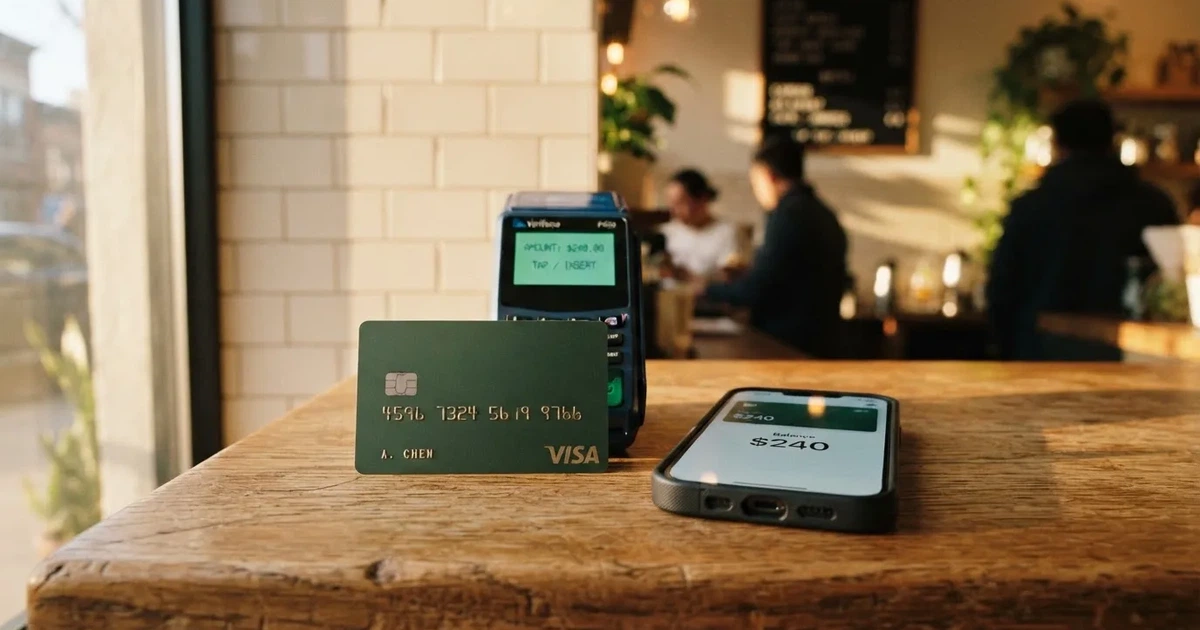
You can add the virtual card to Apple Wallet or Google Pay and tap to pay at any contactless terminal. The physical card is a regular Visa that works at point-of-sale, online and at ATMs. Standard card-payment features apply: 3-D Secure for online checkout, AVS checks where merchants use them, and the usual behaviour for transactions in non-USD currencies. Blocked merchant categories (gambling, for example) are not stated, so you should expect the default Visa set and check the app if a particular category matters to you.
The app itself has a middling reputation so far: on the Apple App Store, “Avalanche Card – Pay Anywhere” by Rain Liquidity LLC sits at 3.1 out of 5 from 22 ratings. That is a small sample and a recent app, so I would treat it as a signal of the early experience (small bugs, rough edges) rather than a verdict.
Cashback rewards are not stated on the official site. One unofficial source describes a points program called “Avax Points” with no cashback, a redemption rate of 1 cent per point for travel or 0.7 cent for statement credit, and rate visibility inside the app only. The card site itself does not mention rewards, so I would not plan a spending strategy around them.
Disputes are not stated on the public site. One unofficial source reads the US agreement as capping liability for unauthorised use at $50 before notice and zero after prompt notice. Chargeback mechanics are run by the card-issuing bank, which the public pages do not name. If you have a dispute, the address to raise it is Rain Liquidity through the channels on the official website, and the time to do it is as soon as you notice the problem.
What can go wrong
A small number of specific risks are worth walking through, because the card’s strengths (self-custody, no monthly fee, no custody) come with corresponding weaknesses.
The first is self-custody. Avalanche Card and Rain Liquidity do not hold your funds; you do. That means a lost seed phrase, a compromised recovery PIN, or a phishing attack that swaps your wallet address in the clipboard can lose your balance, and the card cannot refund you. Crypto transfers are typically irreversible, and there is no central authority that can freeze or return funds the way a bank can in a card-fraud case. If self-custody is new to you, the safer path is to fund the card with small amounts first and to keep the bulk of your USDC in a wallet you understand well.
The second is the issuing-bank question. The card is “powered by Rain Liquidity, a financial technology company and not a bank”. Cards are “issued by partners licensed in their respective jurisdictions”, and the bank is not named on the card’s pages. Rain’s general footer for its debit products names Cross River Bank as issuer (Member FDIC) and Rain Products, Inc. as program manager, but does not explicitly link this to the Avalanche Card. That matters because regulation, deposit insurance and dispute handling depend on who the issuing bank is, and you only see that on the back of the card or in the card agreement once issued.
The third is regulatory risk. Avalanche Card and the card itself are not FDIC insured; Ava Labs’ help page says so explicitly. The wider industry record includes Visa terminating its global agreement with FTX in November 2022 (the FTX US debit card was wound down by its issuer) and Visa suspending WaveCrest in 2018, which closed all WaveCrest-issued Visa programmes. A card that is dependent on a network-issuer-program manager chain can stop working if any link in that chain pulls out. Programme closures typically follow a notice period, then stop loading, then stop spending, then ask users to withdraw remaining balances.
The fourth is support. The official support channels are those on the official website; the languages, hours and response-time guarantees are not stated, and Russian-language support is not mentioned. Ava Labs says it does not support the card; Rain handles issues. Unofficial sources describe slow or generic support on withdrawal and access problems. Treat support as best-effort rather than as a guarantee.
The fifth is information gaps. Daily and monthly spending limits are not stated, only that Rain can set limits, reduce them, or set spending power to zero. The unofficial reading is up to 100% of the loaded value for stablecoins (USDC, USDT) and up to 50% for AVAX/wAVAX, but dollar limits are not published anywhere I could see.
What to take instead
Three alternatives cover the main reasons a reader might reject the Avalanche Card: a card that is more open about its rewards and cashback, a card that supports fiat and crypto top-ups side by side, and a card built around a self-custody wallet on a different chain. None of these are apples-to-apples substitutes; they are the next thing to read if the Avalanche Card does not fit.
MetaMask Card scores 7.1 out of 10. Sign-up is open in 45 listed countries and territories (examples: Andorra, Argentina, Brazil, Canada, Mexico, Germany, France, Spain, Uruguay), with other regions on a waitlist. It is a Mastercard, virtual first and instant, with a Metal tier that can be pre-ordered after Virtual approval. The virtual card is free, the Metal card is $199 a year. Cashback is paid in mUSD into a Money Account (Virtual 1%, Metal headline 3% capped at the first $10,000 spent then 1%) plus a dining-app bonus. Networks supported include Linea, Base, Monad and Solana; tokens include mUSD, wETH, EURe, GBPe, USDC and USDT. US and UK sign-ups were temporarily closed according to the FAQ.
KAST scores 6.1 out of 10. KAST publishes a residence-based country list at KYC and applies the rule strictly: if your country isn’t on the list, KAST is unavailable there, and VPN does not bypass the rule. It is also a Visa product with Standard, Premium and Private tiers and a wide variety of card designs. Cashback is meaningful (1.5% to 3% of eligible spend, plus 1% to 2% in KAST Points) and stablecoin top-ups are at 0%. The catch is membership pricing at the higher tiers: Premium is $1,000 a year, Private is $10,000 a year, billed annually upfront.
Zeal scores 6.1 out of 10. Zeal is a Visa card that spends from balances in a card Safe (EUR, USD, GBP stablecoin accounts on Gnosis Chain and Celo). The card programme is live in a sizeable geography (EU, UK, Brazil, Colombia, Mexico, Japan, Singapore, Philippines, Indonesia, Thailand). Cashback is up to 4% paid in GNO, contingent on holding GNO in the card Safe, and Zeal charges no additional FX fee. Note that a physical card and an ATM position are not clearly stated.
If you are deciding between these, the question to ask is which constraint matters most. If fees and self-custody are central, Avalanche Card is fine; if you need a clearly published rewards rate, MetaMask Card or KAST are stronger; if you want European-denominated balances and a non-Avalanche chain, Zeal is the closer fit.
Who I would recommend it to
I would recommend the Avalanche Card to two specific readers and to nobody else.
The first reader is a resident of a supported Latin American or Caribbean country who already uses USDC on Avalanche as their working balance. For this person, the Avalanche Card removes the convert-and-load step that other cards require, the official fee is 1% for FX, and the card works with Apple Pay and Google Pay from day one. The card is also useful if you want to keep your USDC in your own wallet rather than handing it to a card provider.
The second reader is a US resident in an eligible state with USDC on Avalanche for whom a free Visa that spends from a self-custody balance is enough. No monthly fee, no card fee, no shipping fee, and a 1% FX rate, with the standard caveats regarding third-party sources quoting different numbers and limits not being published. I have not identified a third group of users for whom the card is recommended.
I would not recommend it to: anyone whose spending depends on cashback (use MetaMask Card or KAST); anyone who relies on ATM access with published terms (no source I read gives a single, unambiguous answer); anyone in an excluded country or excluded US state (the list is the list, and there is no exception route); and anyone whose main balance is on a chain other than Avalanche. The Avalanche Card is built around one network and one idea, and it does that idea competently, but it does not try to be anything else.
Frequently asked questions
What is the Avalanche Card?
The Avalanche Card is a Visa payment card, available in virtual and physical form, that lets you spend from a crypto balance held on the Avalanche blockchain. It runs on Rain Liquidity’s payment rails and is marketed under the Avalanche brand. The card converts and spends USDC, USDT, AVAX, WAVAX or sAVAX held in your own wallet, and Avalanche does not take custody of the underlying tokens. It is not a bank account and is not FDIC insured.
How does the Avalanche Card work?
You download the app, complete KYC, receive a virtual card instantly and can order a physical card. You send USDC, USDT, AVAX, WAVAX or sAVAX from your self-custody Avalanche-network wallet to the card. When you pay in a shop or online, the card converts your crypto balance and the merchant receives fiat. The card runs as a prepaid balance, so there is no credit line and no overdraw. Self-custody is the key feature: you keep your private keys, and Avalanche or Rain Liquidity cannot recover your funds if you lose access.
Is Avalanche a bank?
No. Avalanche Card is a payment card product, not a bank account. Rain Liquidity describes itself as a financial technology company and not a bank, and the actual card is issued by a partner bank licensed in its jurisdiction. The Ava Labs help page states explicitly that neither Avalanche, the card nor any cryptocurrency on it is FDIC insured.
Who owns the Avalanche Card?
The card is a product of Avalanche (the network brand and the company Ava Labs) and is powered by Rain Liquidity’s payment infrastructure. Cards are issued by a licensed partner bank, which is not named on the card’s public pages. Rain Products, Inc. acts as program manager on some Rain debit products, with Cross River Bank as issuer, but Avalanche Card does not link those entities explicitly.
Where is the Avalanche Card available?
Eligibility is residence-based: many US states, Latin America and the Caribbean are supported, with the list described as expanding. Excluded countries include Belarus, Cuba, India, Iran, Iraq, Israel, Mainland China, Nepal, Nicaragua, Nigeria, North Korea, Russia, Sri Lanka, Syria, Turkey, Ukraine, Venezuela and Vietnam. Excluded US states include Arizona, Delaware, Georgia, Idaho, Louisiana, Maryland, Nevada, New Mexico, North Dakota, Ohio, Oregon, Rhode Island, South Dakota, Vermont, Washington and Wisconsin. Proof of address is not stated; KYC asks for ID and a selfie, not a utility bill.
Does the Avalanche Card require KYC?
Yes. KYC requires legal name, email, date of birth, SSN or national ID, a government-issued ID, a selfie and a valid phone number. Expired IDs and P.O. boxes are not accepted. Approval usually takes seconds but can run up to 72 hours. There is one KYC process only, with no tiered verification or progressive limits. Nationality and country of birth are screened alongside residence because sanctions and issuer risk policy are applied to all of these.
How do I top up the Avalanche Card?
Send USDC, USDT, AVAX, WAVAX or sAVAX from your Avalanche-network self-custody wallet to your card in the app. Make sure the tokens are on the Avalanche network; sending USDC on Ethereum, Polygon or Solana will not be recognised. You need a small AVAX balance to pay network gas. There is no bank-transfer or fiat on-ramp: dollars from a bank go through an exchange to become USDC on Avalanche first, then to the card. You can withdraw funds back to your wallet and close cards at any time in the app.
Is the Avalanche Card free?
Virtual card issuance is $0, physical card is $0, shipping is $0 and the monthly account fee is $0. The official FX fee is 1%. The card’s own pages say it charges no conversion or gas fees, although users pay network gas directly. Unofficial sources describe different fee figures (FX 2% under the US disclosure, up to 3% internationally, late-payment up to 2%, $10 statement copy), so check the agreement you actually receive. ATM and limit terms are not stated.
Is the Avalanche Card safe?
The card’s safety comes from self-custody: you keep your own keys, so your tokens are not exposed to the risk of a custody failure by Avalanche or Rain. That safety only holds if you actually keep your seed phrase and recovery PIN secure; if you lose them, no one can recover your funds. The card is not FDIC insured, the issuing bank is not publicly named, and you are dependent on the card-issuing chain continuing. Use the in-app card lock if you lose your phone, keep your seed phrase offline, and avoid clipboard-hijacking malware that swaps wallet addresses.
Can I add the Avalanche Card to Apple Wallet or Google Pay?
Yes. Virtual cards can be added to Apple Wallet or Google Pay so you can pay with a phone or watch at contactless terminals. The physical card also works as a standard Visa at point-of-sale and online. Tokenised mobile wallets give an extra layer of security: each payment uses a one-time dynamic code and the real card number is never on the phone or with the merchant.
Prepared by the Crypto Card Rating editorial staff.