Oppi card review: a self-custody Mastercard for spending your own crypto
Oppi is a mobile crypto wallet that ships with a Mastercard tied to its balance. The wallet itself is self-custody, so your private keys stay on your phone, and the card is an option you turn on once you pass a short KYC check. I went through the public materials for this review and want to give you a clear picture of what the product does today, what it costs, where the gaps in the documentation are, and who I think it actually fits.
The conditions are current as of 21 October 2026 (authority: Oppi wallet internal policy).
Verdict
Oppi earns 7.2 out of 10 in my scoring. It is a credit-card-style way to spend a balance you already self-custody, with no monthly fee on the virtual side and a useful set of networks for topping up. The catch is that the public card page leaves several practical questions unanswered (spending limits, ATM fee, card issuer, dispute process, delivery times for the physical card), and the only third-party review that does try to fill those gaps contradicts the official page on a few points.

Below is how I arrived at the score, criterion by criterion.
| Criterion | Mark | Why |
|---|---|---|
| Who can get it | 9 / 10 | Card claimed in 210+ countries; not officially published country list; Cuba/Iran/North Korea/Syria excluded |
| Cost | 4 / 10 | Virtual activation $10 with $5 credited back; physical $100 with delivery; 2%-2.5% FX on non-USD |
| Top-up options | 9 / 10 | BTC, BCH, BNB, ETH, LTC, SOL, USDT, TRX, USDC on Ethereum, BSC, Polygon, Tron, Solana |
| Reliability and complaints | 6 / 10 | Self-custody, key on your device; issuer unnamed; no complaints found; App Store 4.6 of 5 from 50 ratings |
| Everyday use | 9 / 10 | Virtual Mastercard and an optional physical card, Apple Pay and Google Pay, ATM withdrawals claimed |
| Total | 7.2 / 10 |
Who the card suits: someone who already keeps crypto in a self-custody wallet and wants to spend it through a familiar Mastercard without moving funds to an exchange, in a country where Oppi will onboard them. Who it does not suit: a traveller who needs predictable FX, someone in a country Oppi will not onboard, or anyone who needs a publicly named card issuer and BIN sponsor before they sign up.
Will they give you the card
Oppi markets the card as available in “210+ countries”. The exact list is not on the public card page, and the FAQ that would normally hold it had no readable answers on the page I checked. A third-party write-up from August 2026, which I treat as unofficial and not confirmed by Oppi, lists 221 countries and names Cuba, Iran, North Korea and Syria as excluded under the AML policy, adding that Crimea, Donetsk and Luhansk are also blocked.
The card page does not name Russia or Belarus. If you are in Russia, in another CIS country, or a Russian citizen living elsewhere, the right question is what happens at sign-up, because eligibility is checked when you try to enable the card, not by a country picker up front. Russian citizens living in a country Oppi does support should still expect extra scrutiny, because sanctions screening is run on citizenship and country of birth as well as on the address you give.
Two things to clear up before you start:
- KYC is required to enable the card. A government ID and a selfie are required, according to the card page. The wallet itself works without KYC, so you can hold and transact in crypto without verifying, and you only verify when you want the card.
- One product tier. There is no Standard/Premium/Metal ladder. You can create multiple virtual cards on one balance and add an optional physical card. Proof of address, age requirement and any tiered checks are not stated on Oppi’s pages. The unofficial third-party write-up says proof of address is required under the AML policy, and that withdrawals above $10,000 a day or $100,000 a month can trigger proof of funds, a source-of-wealth questionnaire and a video call. I am flagging this as unofficial and unconfirmed.
How to get it
The flow the card page describes is: download the app, set up the self-custody wallet, complete KYC, pay the virtual activation fee, receive a virtual Mastercard instantly. A physical card is optional. The App Store listing calls the card virtual Mastercard and lists physical as VISA; a separate Oppi page refers to both Visa and Mastercard. The currency is implied to be USD, because every non-USD purchase carries an FX charge.
A few details that are not in the public materials:
- Delivery time for the physical card is not stated.
- Countries the physical card ships to are not stated.
- Replacement cost is not stated.
- The card issuer and BIN sponsor are not named. The Oppi site describes the company as “Oppi wallet” and says it is “VASP-certified”; the App Store lists the developer as Encoin Limited. The licence number and jurisdiction are not stated.
If you cannot find your country on a published list before applying, the practical move is to register, attempt the card enablement step, and walk away if KYC is rejected. You do not need to deposit anything to reach that step.
What it really costs
This is where Oppi looks cheap at first glance and then less cheap when you spend in a currency other than USD. There is no monthly or annual fee, which is genuinely unusual for a crypto card, but FX adds up quickly.
| Fee or limit | Amount |
|---|---|
| Virtual card activation (one-time) | $10, with $5 credited back |
| Physical card (one-time) | $100 including shipping |
| Monthly fee | None |
| Annual fee | None |
| Crypto top-up conversion | Real-time rate; swap fees described as “low” but not quantified |
| FX on non-USD purchases | 2%–2.5% |
| ATM withdrawals | Supported per main site; fee and allowance not stated |
| Daily / monthly limits | Not stated on the card page |
A unofficial source in August 2026 quotes card loading of “1%-2%” and reports virtual free / physical $10 from a Google Play entry and a February comparison, which contradicts the official $10 / $100 figures. I am leaving both versions in the costs table above and treating the official ones as authoritative.
Three everyday situations to picture, with the fee that actually hits you:
- Buying a €40 dinner on the virtual card in Europe. You pay in EUR, the card settles in USD, and Oppi takes 2%–2.5% on the conversion. The €40 becomes the equivalent amount on your balance after the fee, depending on the day. If you topped the balance up from USDC, the only spread you lost was at the moment your crypto converted to card balance.
- Tapping a train ticket on Apple Pay. Same logic: no network surcharge from Apple, the FX line on the statement is the 2%–2.5% non-USD fee when the merchant settles in a non-USD currency. No other fee is named.
- Withdrawing cash from an ATM. ATM withdrawals are stated as supported, but the fee and any monthly free allowance are not on the card page. Treat this as a fee you cannot predict from the public materials, and check the in-app support or fee schedule before relying on cash.
The App Store listing also says travel bookings have “no currency exchange fees”, which conflicts with the 2%–2.5% figure on the card page. Until Oppi reconciles the two, assume the higher number when budgeting.
How to top up Oppi
Topping up starts with a transfer to the right network. Pre-funded means the balance is loaded before you spend it, and the virtual and physical cards share that balance.
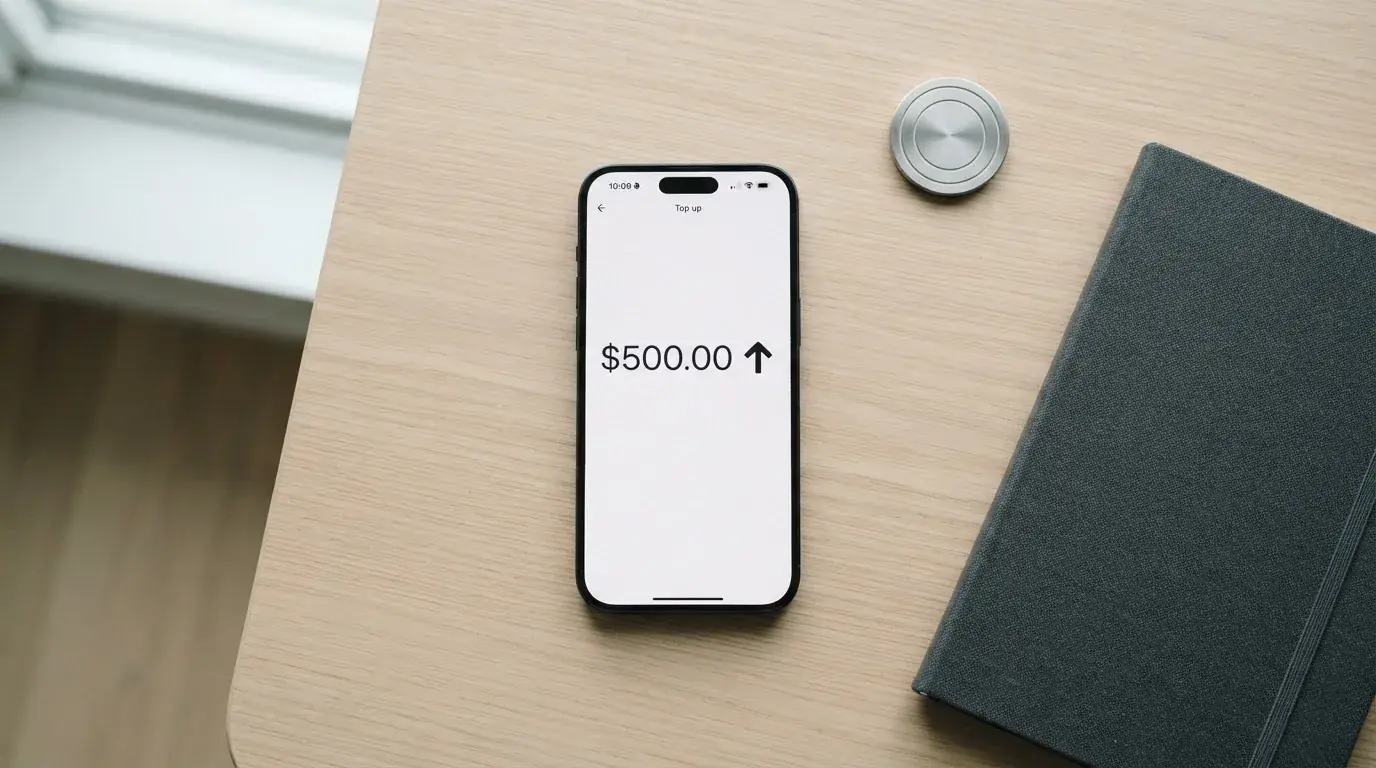
Assets named on the public pages: BTC, BCH, BNB, ETH, LTC, SOL, USDT, TRX, USDC. Chains the card page names: Ethereum, BSC, Polygon, Tron, Solana. The App Store listing mentions 40+ assets in the wider wallet. Card loading fees are not itemised on Oppi’s pages; an unofficial August 2026 source quotes “1%-2%” from a guide, which I would treat as approximate until Oppi publishes a schedule.
Fiat top-up, minimum top-up and an explicit list of accepted networks per token are not stated on the card page. Sending USDT over a chain Oppi does not support, or to an address on another network, can lose the funds, because blockchain transfers are not reversible.
Withdrawals from the card balance back out to your own wallet are not stated either. If you need to cash out, plan to test a small amount and confirm the direction in the app before you move anything large.
Paying with it every day
In day-to-day terms the card behaves like a prepaid Mastercard loaded from your crypto balance. Apple Pay and Google Pay are supported, so most point-of-sale use is a tap of the phone. Multiple virtual cards on one balance lets you keep a card for subscriptions separate from the one you tap in shops.
Spending earns Oppi Points on eligible transactions, redeemable for top-ups. The rate, caps and what counts as eligible are not stated. Merchant category blocks (gambling, for instance) are not stated either, so assume the card will decline in MCC-coded categories that other crypto issuers often block, and check before assuming a particular subscription will work.
App quality is the easiest thing to verify. iPhone (iOS 15.6+, also listed for M-series Mac and Vision), English only. App Store rating was 4.6 out of 5 from 50 ratings when I read it. Google Play figures come from the same unofficial August 2026 source as the rest and disagree with the App Store read (the third party lists Apple 4.6/5 from 16 ratings and Google Play 4.3/5 in one place, 4.8/5 from 11 and 4.5/5 from 386 in another). Treat the App Store 4.6/5 from 50 as the cleanest read.
Disputes, chargebacks and the formal complaints process are not stated. The support centre FAQ page shows question headings only, with no readable answers attached. If disputing a transaction matters to you, treat Oppi as a card to use where you can absorb an unresolved dispute, rather than a card to lean on. Disclaimers: no deposit guarantee and no payout guarantee exist; supervise your account via the app-based spending controls.
What can go wrong
A search of Trustpilot and Reddit turned up nothing that could be confirmed as a complaint about Oppi. The App Store’s visible 2025 reviews, four of them, are all positive. The August 2026 third-party write-up mentions one Trustpilot review in which a single reviewer says a physical card was never delivered, which is one anecdote, not a pattern.
The structural risks to weigh:
- The card issuer is not named. The card page lists the operator as Oppi wallet, “VASP-certified”, and the app developer as Encoin Limited. The actual issuer (the bank or e-money institution under whose BIN the card runs) is not on the page, and the licence number and jurisdiction are not stated. If the programme manager goes out of business or is suspended by Mastercard, you need to know which entity holds the card balance and who winds the programme down.
- Self-custody shifts the risk to you. The card material is explicit: private keys stay on your device, “Oppi does not hold your funds at any point”. That is also why you alone bear the consequences of a lost seed phrase, a clipboard-hijacker swapping a copied address, or a phishing attempt for your recovery words.
- Several practical figures are not stated. Limits, ATM fee, delivery times, dispute process, in-app freeze or spending controls, insurance on stored value: not on the card page. Without these you cannot fully stress-test the card before relying on it.
- Sanctions, country of birth and citizenship. Eligibility is checked at sign-up, but AML screening is run on citizenship and country of birth as well as the address you give. The standard advice applies: never assume a clean onboarding in one country equals a clean onboarding if you change residence, change citizenship status, or travel through restricted regions.
- Programme-level suspensions have happened. Crypto card programmes have been suspended by networks before (WaveCrest in 2018, FTX US in November 2022). The Oppi materials do not address what happens if Mastercard or the unnamed issuer pauses the programme.
- Support is English only. Hours are not stated. In-app support tickets have been added per release notes, and the support email is [email protected].
What to take instead
Three self-custody-leaning or broadly comparable alternatives, scored on the same scale.
MetaMask Card (7.1 / 10). Mastercard, virtual card issued first (free, no annual fee) with a Metal tier at $199/year. Spends directly from the connected wallet on Linea, Base, Monad and Solana, with tokens including mUSD, wETH, EURe, GBPe, USDC and USDT. Open in 45 listed countries and territories at sign-up, with the rest on a waitlist; proof of residency required; US and UK sign-ups temporarily closed per FAQ. Russia and Belarus are not named in the extract. Cashback in mUSD: 1% on Virtual, up to 3% on Metal (footnote limits 3% to the first $10,000 spent then 1%), plus Blackbird $FLY multipliers through the dining app. Issuer Monovate, card provider Crypto Life.
KAST (6.1 / 10). Three card tiers: Standard (Visa Platinum, $0/year), Premium (Visa Infinite metal, $1,000/year) and Private (Visa Infinite gold plated, $10,000/year). Up to 10 cards per user. Stablecoin top-up in USDT/USDC across Ethereum, Solana, Polygon, Arbitrum and Tron. Card spend in USD is 0%; non-USD FX 0.5%–1.75% by residence and card programme. Cashback 1.5% / 2% / 3% in USD plus optional KAST Points. Country list is residence-based and not published; the help centre makes plain that holding an ID from a restricted region disqualifies you, and that VPN does not bypass the check. Russia and Belarus are not mentioned in the materials.
Zeal (6.1 / 10). Visa card issued by Gnosis Pay in EU, UK, Brazil, Colombia, Mexico, Japan, Singapore, Philippines, Indonesia and Thailand; spend in 150+ countries via Visa acceptance. Virtual card addable to Apple Pay; physical availability not stated. Spends from card-Safe balances in EUR, USD and GBP on Gnosis Chain and Celo. Cashback up to 4% in GNO on Gnosis Chain, paid only on GNO held in the card Safe. Card fees are not published on zeal.app; an additional APY on EUR/USD balances is advertised in the App Store listing. Russia and Belarus are not stated.
| Card | Score | Best for | Watch out for |
|---|---|---|---|
| Oppi | 7.2 / 10 | Self-custody users who already hold the listed assets and want no monthly fee | Card issuer not named; several practical numbers not stated |
| MetaMask Card | 7.1 / 10 | MetaMask users in the 45 listed countries who want direct wallet spend | US/UK sign-ups temporarily closed; long waitlist elsewhere |
| KAST | 6.1 / 10 | Higher cashback and a free Standard tier; willing to fund a Premium or Private card | $1,000–$10,000/year membership fees for top tiers |
| Zeal | 6.1 / 10 | EUR/USD/GBP spend and GNO rewards via Gnosis Pay rails | Programmed live in a defined country list only |
Who I would recommend it to
If you already keep BTC, ETH, SOL, USDT or USDC in a self-custody wallet, in one of the 210+ (or, per the unofficial read, 221) supported countries, and you want a Mastercard for everyday spending without paying a monthly fee, Oppi is a reasonable fit. The self-custody story is honest, the supported assets and chains cover the most-used networks, and the absence of a monthly charge keeps the cost low for light spenders.
I would not recommend Oppi if any of the following apply to you:
- You spend mostly outside the US, and the 2%–2.5% FX charge materially changes whether the card is worth using.
- You need an ATM allowance you can plan around. The fee and free withdrawal amounts are not on the card page.
- You depend on a chargeback process for a specific merchant category. Disputes and reason codes are not stated.
- Your citizenship, country of birth or country of residence has any chance of failing AML screening, including Russia, Belarus, Cuba, Iran, North Korea, Syria or the disputed Ukrainian regions. If you are Russian, in another CIS country, or a Russian citizen abroad, treat eligibility as checked at the moment you enable the card, not advertised by country list.
- You want the card issuer and BIN sponsor named up front, with a licence number and jurisdiction. Oppi’s public materials do not provide that.
For everyone in that second group, the alternatives table is a better starting point.
Frequently asked questions
What is Oppi card?
Oppi is a self-custody crypto wallet paired with an optional Mastercard. The wallet holds your keys on your device; the card spends a USD balance that you top up from crypto. You can have one virtual card plus, optionally, a physical card, on a single balance.
Is Oppi a bank?
No. Oppi describes the operator as Oppi wallet, calls the company “VASP-certified”, and the App Store lists the developer as Encoin Limited. The card issuer and BIN sponsor are not named on the public materials I reviewed, so no claims should be made about deposit insurance or banking licences.
How does Oppi card work?
You install the app, set up the wallet (self-custody), complete KYC, pay a one-time $10 for the virtual card ($5 of which is credited back), and receive the card instantly. You transfer BTC, ETH, SOL, USDT, USDC and a few other assets on Ethereum, BSC, Polygon, Tron or Solana to top up. Each tap or online payment converts from your crypto at the time of spending.
Does Oppi card require KYC?
Yes, to enable the card you need a government ID and a selfie, per the card page. The wallet itself works without KYC. An unofficial August 2026 source adds that proof of address can be required, and that high-value withdrawals trigger proof of funds, a source-of-wealth questionnaire and a video call; that is not confirmed by Oppi.
How do I top up Oppi card?
Send one of the supported assets (BTC, BCH, BNB, ETH, LTC, SOL, USDT, TRX, USDC) to the address the app gives you, on the chain the app specifies. Use the chain the app shows; sending USDT on a chain Oppi does not support can lose the funds. Fiat top-up, minimums and per-token fees are not stated on the card page.
How do I add Oppi to Apple Wallet or Google Pay?
The card page states Apple Pay and Google Pay support. In practice this means tokenising the virtual Mastercard the way you would any other card: add it through the Wallet or Google Pay app, verify with the issuer, then tap to pay. The card issuer’s identity is not published, so a tokenisation failure should be raised with support.
Where can I use Oppi card?
Anywhere Mastercard is accepted, plus Apple Pay and Google Pay terminals. The card is “claimed in 210+ countries” per Oppi; the official published list is not on the card page. ATM withdrawals are stated as supported; ATM fee and limits are not stated.
Is Oppi card safe?
The wallet is self-custody, which means your keys and your seed phrase are your responsibility and not Oppi’s, and Oppi states it does not hold your funds. Spend controls, freeze, insurance on stored value, dispute process and the identity of the card issuer are not stated on the public materials, so the honest answer is that the card side of the product is incompletely documented.
How much does Oppi card cost?
Virtual activation is $10 with $5 credited back; the physical card is $100 including shipping. There is no monthly or annual fee. Non-USD purchases carry a 2%–2.5% FX charge. ATM fee and any free-withdrawal allowance are not stated. Unofficial August 2026 reads report different numbers, which I treat as unconfirmed.
Is Oppi card worth it?
It depends on what you already use. If you self-custody the supported assets, live in a country Oppi will onboard you in, and you mainly spend in USD, the lack of a monthly fee and the breadth of supported chains make it a credible everyday card. If you travel frequently in non-USD currencies, or you need predictable dispute and limits documentation, the gaps in the public materials push you toward an alternative such as MetaMask Card or KAST.
Created by the ”Crypto Card Rating” editorial team.